
Top Wedding Photo Editing Tools for Photographers
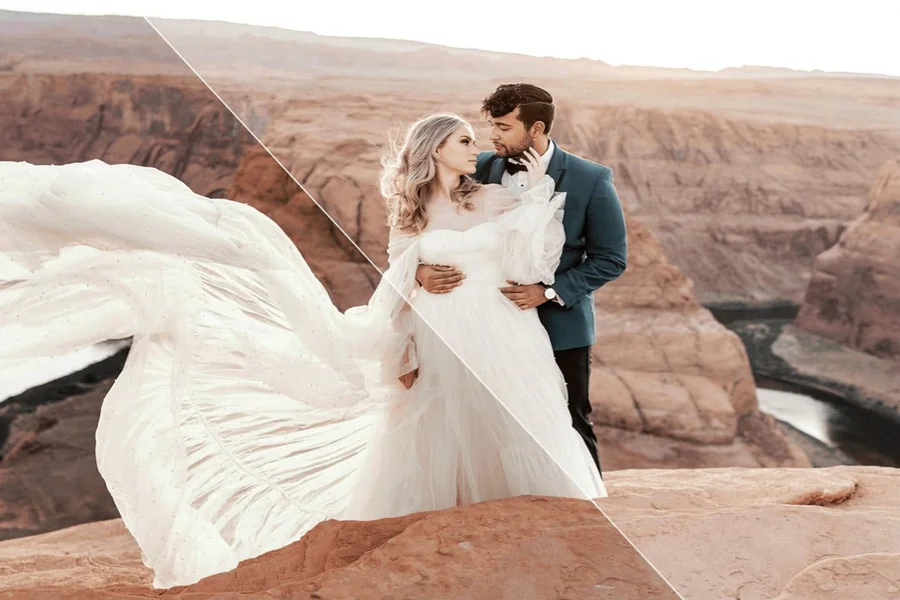
Wedding photo retouching is not just about making images look beautiful. It is about building a complete, consistent story from hundreds, or even thousands, of frames taken over one long, emotional day. The perfect photo editing tool for this genre should handle volume, speed, and consistency without flattening the moment’s personality.
In this article, we compare some of the most effective wedding photo editors from a practical perspective, offering polished, natural results without compromising the emotion of love in every shot.
1. Luminar Neo
If you seek a reliable wedding photo editor that helps you move quickly through large galleries without losing control over the final look, Luminar Neo is a solid choice. It includes RAW support, non-destructive editing, layers, masking, dodge and burn, lens correction, and batch processing. Luminar Neo runs on Windows and macOS, supports plugin use with Photoshop, Lightroom, and Apple Photos, and offers a 7-day free trial. The prices range from ~$114 for the perpetual desktop license to ~$160 for a Max plan with dedicated mobile apps and web gallery access.
| Pros | Cons |
| Batch syncing is a real advantage for weddings because you can carry a base look across a full sequence from one location or lighting setup. | Wedding photographers who rely heavily on deep cataloging and metadata management may still want a more DAM-oriented system alongside it. |
| Wedding-specific presets are available through Skylum’s Marketplace, which can help speed up a consistent editorial finish across highlights and album selects. | Heavy AI use on large RAW files is more comfortable on modern hardware than on older machines. |
| Layers and masking make it easier to handle selective cleanup, local brightening, and creative finishing. | The toolkit for advanced manual photo editing is smaller than in professional-grade competitors like Photoshop. |
2. Adobe Lightroom Classic
If you want to edit a wedding photo without breaking the visual consistency of the large photo gallery, Lightroom is here to help you with its customizable presets and advanced file organization. It offers one environment for batch corrections, consistent color across a full day, and a library that stays searchable. Adobe’s official plans page lists the Lightroom plan at $11.99/month on the annual billed-monthly option, or $119.88/year, and Lightroom Classic is included in that plan. Adobe also offers the broader Photography plan at $19.99/month, which adds Photoshop and 1TB of storage.
| Pros | Cons |
| Batch syncing and a desktop-focused workflow make it practical for keeping ceremony, portraits, and reception images visually consistent. | The interface and catalog concepts can feel heavy if you want something simpler and faster to learn. |
| A large user base means presets, tutorials, and workflow advice are easy to find. | The full ecosystem commitment is unreasonable if you only need quick add-ons. |
| A strong long-term archive value for photographers who need to revisit old weddings for albums, prints, or re-edits. | The subscription model with ongoing payments may be inconvenient if you have a limited budget. |
3. Aftershoot
If you prioritize AI tools for wedding photo editing, Aftershoot is a solid option. It is built to remove two of the biggest time drains in wedding post-production: culling and first-pass processing with automatic adjustments. The program works on Mac and Windows. There are several pricing plans, both yearly (starting at $119.88) and monthly (starting at $14.99), to choose from based on your budget and required features.
| Pros | Cons |
| AI culling directly addresses the biggest volume problem in the workflow. | You will usually still need another program for final color, retouching, and export polish. |
| Editing plans add AI-based first-pass corrections, which can speed up gallery prep before detailed finishing. | The lineup has several tiers, so buyers need to understand whether they need to cull only or edit too. |
| Flat-fee positioning is easier to understand than per-image billing when processing large projects like weddings. | It is good for high-volume files, but photographers with small projects will not benefit as much. |
4. Narrative
Narrative is built around speed, focus, and keeping creative control while AI handles the repetitive first pass. It was designed with wedding photographers in mind to help them navigate through large sets. The editing capabilities are very narrow, but you can easily integrate Narrative as a plugin into your Photoshop, Lightroom, or Capture One workflow on Mac or Windows. Narrative’s official pricing page lists Lite at $10/month, Standard at $20/month, Premium at $40/month, and Ultra at $60/month.
| Pros | Cons |
| Built specifically around a photographer’s workflow, which makes it more relevant to weddings than generic AI editing apps. | Integration with Lightroom, Photoshop, and Capture One helps it fit into established wedding-delivery pipelines. |
| Clear monthly tiers make it easy to compare entry, mid, and high-volume use. | Because the brand also sells a separate Publish product, readers need to make sure they are looking at the correct pricing page. |
| Clear monthly tiers make it easy to compare entry, mid, and high-volume use. | Projects often live on a single desktop computer. If you use a virtual assistant or switch between machines, the software won’t fit you because it lacks synchronization. |
Conclusion
The right wedding photo editing tool is crucial for photographers aiming to create a cohesive and emotionally resonant narrative from a multitude of images. Whether prioritizing speed, consistency, or advanced AI capabilities, tools like Luminar Neo, Adobe Lightroom Classic, Aftershoot, and Narrative each offer unique advantages that can elevate the storytelling of a couple’s special day.